Location & GPS Tracking Apps

Best Location Tracking Apps for Android & iPhone: Top 3 Picks

Location & GPS Tracking Apps

Have you ever felt that cold spike of adrenaline when your teenager doesn’t answer their phone after curfew? Or perhaps you worry about an elderly parent who tends to wander off and forget the way home? We live in a world that moves fast, and sometimes, a simple phone call does not provide the reassurance we need. You want to know where your loved ones are, not because you want to invade their space, but because you care about their safety.

In the past, you just had to hope for the best. Today, technology offers a digital safety net. If you own an Android or an iPhone, you can access tools that turn a standard smartphone into a powerful beacon of safety. I have spent a lot of time look at these tools, and three names consistently rise to the top of the pile. Let’s dive into the best options to help you stay connected and keep your family secure.

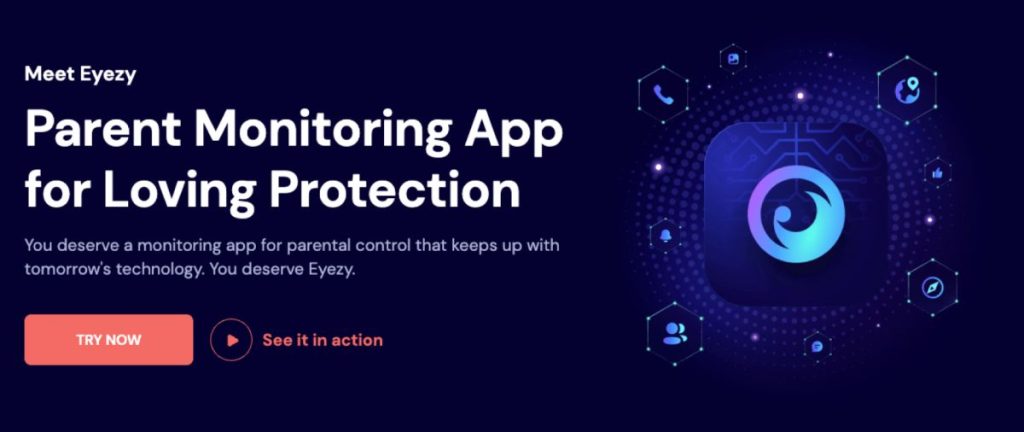
1. Eyezy: The Invisible Guardian For Modern Parents

Eyezy Tracking Apps

Imagine a digital bodyguard that works around the clock without ever a break. That is exactly
what Eyezy feels like when you install it. Most parents do not want to hover over their children’s
shoulders every second of the day. It creates friction and kills trust. Eyezy solves this by work in
the background.

Do you worry about your child wander into a part of town that makes you nervous? With this
tool, you set up “magic zones.” If your child crosses a boundary you create on a map, the app
sends a notification to your phone instantly. You don’t have to check the map every five minutes;
the app does the legwork for you. It also helps you see who they talk to on apps like WhatsApp
or Instagram. If a stranger starts a chat or if a bully sends a mean text, you will know. It uses
artificial intelligence to flag “danger” words, so you only step in when it truly matters.

Key Features At A Glance

  • GPS location tracking with instant geofence alerts.
  • Review of social media chats on WhatsApp and Messenger.
  • Access to call logs and text messages.
  • AI-driven keyword alerts for specific “red flag” words.
  • History of web browser visits and bookmarks.
  • Stealth mode to ensure the app stays hidden.

The Good And The Bad

ProCons
Very affordable plans for long-term
users.
You may need to “root” or “jailbreak” for some
features.
Excellent geofencing that sends alerts
fast.
The setup can take some time for beginners.
The stealth mode is very hard to
detect.
No full free trial to test the paid features.

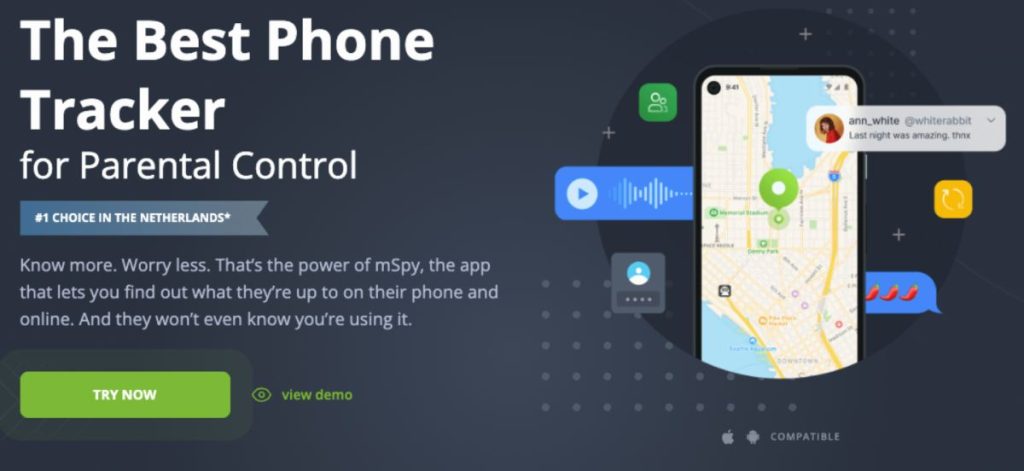
2. mSpy: The Gold Standard For Deep Insights

mSpy Tracking Apps

If you need a tool that leaves no stone unturned, you likely heard of mSpy. This software has
been a leader in the industry for years, and for good reason. It provides a level of detail that few
other apps can match. While some apps just show you a dot on a map, the mSpy app gives
you the full context of what happens on that device.

Think about a situation where your child seems distant or upset. You suspect something is
wrong, but they won’t talk. mSpy allows you to see their screen in real-time. You can see the
photos they receive and the messages they type before they even hit “send” thanks to its
keylogger. It records every keystroke. This is not just about location; it is about the total digital
environment. You can even block certain websites or apps if you feel they pose a risk. It acts as
a remote control for safety, give you the power to protect your family from miles away.

Key Features At A Glance

  • Live screen recording and remote screen views.
  • Keylogger that captures every single typed word.
  • Comprehensive GPS history and current location.
  • Monitor all major social media like Snapchat and Instagra
  • Remote device locks and website blocks.
  • Record calls and view detailed contact lists.

The Good And The Bad

ProsCons
Perhaps the most powerful set of features
on the market.
It sits at a higher price point than competitors.
The interface is very clean and easy to navigate.It focuses more on surveillance than “screen time” limits.
Excellent customer support to help with installation.Full power requires deep access to the phone OS.

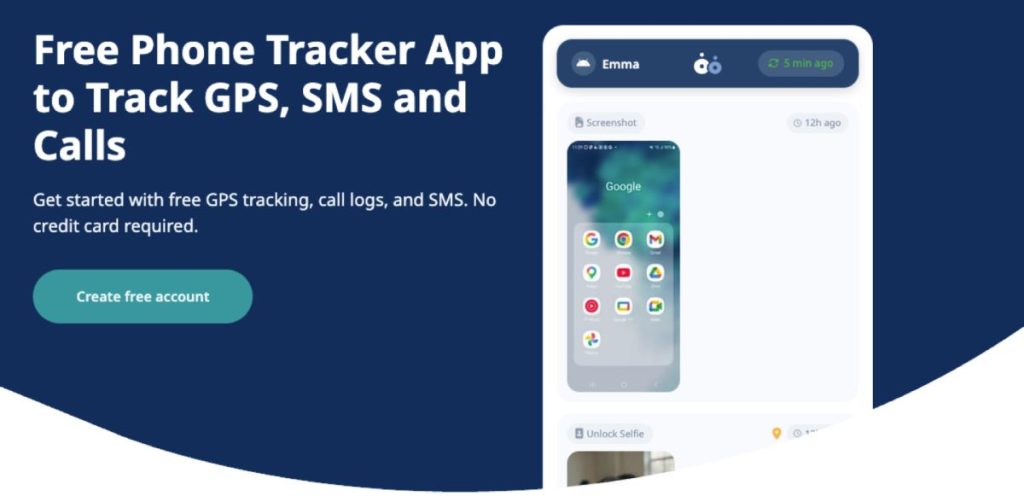
3. Snoopza: The Simple Solution For Android Users

Snoopza Tracking Apps

Not everyone needs a complex dashboard with a hundred different buttons. Sometimes, you
just want a tool that works without a fuss, especially if you use an Android device. Snoopza is a
breath of fresh air for those who want a straightforward experience. It is particularly popular for
people who need to manage multiple devices or for small business owners who want to keep
track of company phones.

Have you ever lost your own phone and wished you could just “see” through its camera to find
where it fell? Snoopza actually allows for remote camera access and can take screenshots. This
is incredibly helpful if a device is stolen or lost. It records calls and tracks SMS messages with
ease. While it lacks some of the flashy AI features of Eyezy, it makes up for it with a very simple
installation process. If you are on a tight budget, they even offer a basic version for free, which
is a rare find in this industry.

Key Features At A Glance

  • Reliable GPS phone tracking.
  • Call recording and SMS/MMS log access.
  • Stealth camera photos to see the surroundings.
  • Track internet activity and history.
  • Social media tracking for Viber and Facebook.
  • Screenshot capture at set intervals.

The Good And The Bad

ProsCons
Offers a limited free version for basic
needs.
Does not support iPhones as well as it does
Android.
The installation process is very quick.Lacks the advanced AI analytics found in
Eyezy.
Great for basic call and message
tracking.
The free plan has very few features.

You may also like; Xnspy’s Remote Controls Review: The Right Way To Ensure Safety From A Distance

Comparison Of The Top 3 Apps

FeatureEyezymSpySnoopza
Best ForParents on a budgetPower users/Total controlAndroid/Free users
iPhone SupportYesYesLimited
KeyloggerYesYesNo
Stealth ModeYesYesYes
Starting Price~$9.99/mo (Annual)~$19/mo (Starting)Free (Basic)

How Do You Choose The Right One?

With these choices, you might wonder which one fits your life. Ask yourself a few questions. Do
you have an iPhone or an Android? If you have an iPhone, Eyezy or mSpy are your best bets.
Do you need to see every single word they type, or do you just need to know they arrived at
school safely? For the former, choose mSpy. For the latter, Eyezy is perfect.

Safety is a journey, not a destination. These apps are tools to help you start conversations with
your kids about digital safety. They are not just “spy” tools; they are bridges to better
communication. When you know where they are, you can stop worry and start enjoy your time
together.

Secure Your Peace Of Mind Today

Each of these tools offers a distinct path to a safer home. You might like the budget-friendly
alerts of Eyezy or the simple, free-to-start approach of Snoopza. Both do a great job for specific
needs. But if you want the absolute gold standard in mobile safety, I recommend the mSpy app
above the rest. It provides the most complete set of tools to ensure your kids stay safe online
and off. Why settle for less when it comes to the people you love?

.

9 Free Google AI Tools

9 Incredible FREE Google AI Tools You Can Use and Stop Paying for Subscriptions

9 Free Google AI Tools

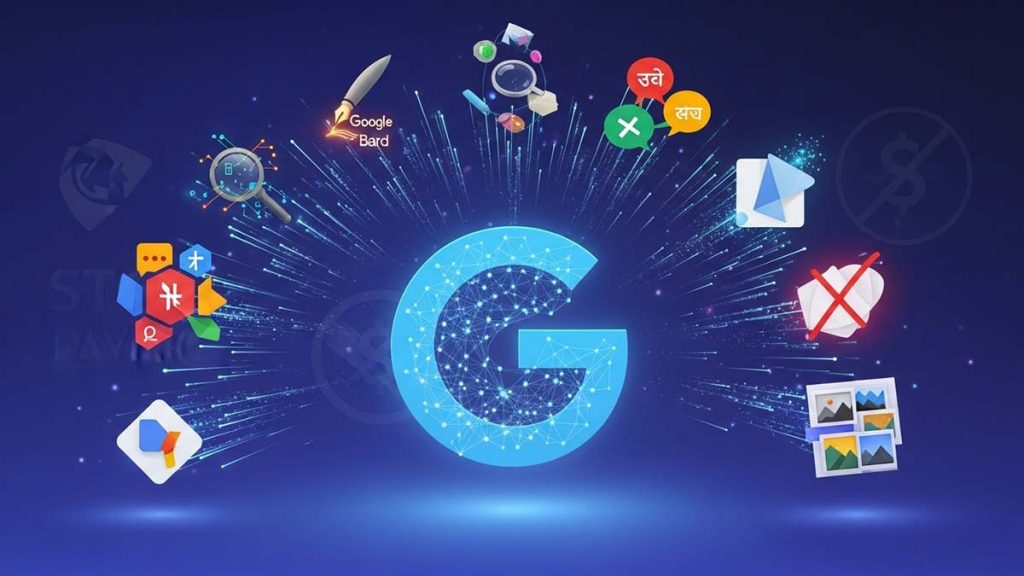
Let’s be real, AI subscriptions are starting to drain our wallets. But what if I told you that Google has a ‘secret stash’ of AI tools that are arguably more powerful than the paid ones, and they won’t cost you a single cent?

Whether you want to generate stunning images (just like the ones we’re doing here), enhance your workflow, design a website, or anything else you can imagine, these tools have you covered. From turning boring PDFs into viral-style podcasts to building full-blown apps just by chatting, these tools are absolute game-changers. Here are 9 Free Google AI tools you need to start using today.

Tool NameBest For…Launch DatePopularity Level
1. NotebookLMTurning documents into AI PodcastsJuly 2023⭐⭐⭐⭐⭐ (Viral!)
2. Nano Banana ProHigh-end studio-quality imagesAug 2025⭐⭐⭐⭐ (Top Pick)
3. Project AstraReal-time visual & voice assistanceSept 2025⭐⭐⭐⭐ (Mind-blowing)
4. Google AI StudioBuilding apps with “Pro” AI modelsDec 2023⭐⭐⭐⭐
5. Gemini CanvasTurning notes into presentationsDec 2025⭐⭐⭐ (Hidden Gem)
6. Google VidsAuto-generating videos from docsAug 2025⭐⭐⭐
7. OpalNo-code task automationJuly 2025⭐⭐⭐
8. PomelliInstant branding & social contentOct 2025⭐⭐
9. Google StitchProfessional UI/UX prototypingMay 2025⭐⭐

1. NotebookLM – Your FREE AI Podcast Generator

One of the first free Google AI tools – NotebookLM isn’t just an AI notebook; it has a ‘Deep Dive’ audio feature. You can upload a 50-page research paper or a messy set of meeting notes, and it generates a stunningly realistic podcast-style conversation between two AI hosts discussing your data. It’s the perfect way to ‘read’ while you’re commuting, and it costs nothing.

  • The Backstory: The ‘OG’ of the list, first launched in July 2023. Originally an experimental tool for researchers and students to organize notes.
  • Why It’s Trending: This is the #1 most popular tool on this list..! The ‘Audio Overview’ (Podcast) feature went viral because the AI voices sound incredibly human.
  • Go to NotebookLM.google

2. Nano Banana Pro – FREE Studio-Quality AI Image Gen

Google’s latest image generation model is a beast. Whether you need hyper-realistic product shots or 4K conceptual art for your blog, this tool delivers lighting and textures that rival professional photography. Just describe your vision, and let the AI do the heavy lifting. Why pay for Midjourney when you have this for free?

  • The Backstory: The Nano Banana model was released in August 2025, with the Pro version landing in November 2025. It serves creatives and content creators looking for the highest fidelity images.
  • Why It’s Trending: It’s the #2 most used tool because it’s built directly into Gemini. It’s fast, high-res, and 100% free to use.
  • Go to Gemini.google.com → Tools → Create images

You may also like: 7 Features of AI Powered Google Photos Editing You Must Try

3. Project Astra (Gemini Live) – Your FREE AI Eyes & Ears

Ever wished you could point your phone camera at a broken car engine and have an expert tell you exactly what’s wrong? That’s Project Astra. It’s a real-time free Google AI tools built-in Gemini as your assistant that can see, hear, and remember what you show it. It’s not just a chatbot; it’s a conversational partner with visual memory.

  • The Backstory: First teased at Google I/O 2024, the fully integrated free version for Android & iOS users was released in September 2025. It was built for everyone who needs ‘on-the-go’ assistance for daily life tasks.
  • Why It’s Trending: People are obsessed with its ‘Visual Recall’ ability. For example, you can ask, “Hey, where did I leave my keys?” and the AI will remember because it saw them while you were walking through your room earlier. It’s absolutely mind-blowing..!
  • Open Gemini apps on you mobile phone → tap the ‘Live’ ✨ (sparkle icon) at the bottom right of your screen. To enable the ‘Eyes’ feature (Astra), simply tap the 📹 Camera icon within the Live session to start sharing your view with the AI in real-time.

4. Google AI Studio – Create Apps for FREE Just by Chatting

Coding used to be a barrier, but not anymore. Within Google AI Studio, the ‘Build’ feature allows you to create functional web applications simply by talking to the AI. Want a custom habit tracker or a niche calculator for your business? Just tell the AI what it should do, and watch it write the entire codebase in seconds.

  • The Backstory: Released in December 2023 as part of the broader Gemini ecosystem. It’s built for developers and tech enthusiasts who want to leverage Google’s most powerful models (like Gemini 3) via API.
  • Why It’s Trending: It’s highly popular because it provides “pro-level” access to AI models for free, which usually costs a lot on other platforms.
  • Go to AIstudio.google.com

5. Gemini Canvas – FREE Pro Presentations in Seconds

Forget the tedious process of copying and pasting text into PowerPoint slides. This is another free Google AI tools built inside Gemini, Canvas allows you to organize your thoughts, research, and data on a visual board. With one click, it can structure your content into a clean, professional presentation format.

  • The Backstory: Released very recently in December 2025. It was introduced as a feature for office workers and students who need to turn ‘brainstorming mess’ into ‘meeting-ready slides’.
  • Why It’s Trending: It’s a “hidden gem” that’s quickly becoming a favorite for anyone who hates manual slide formatting.
  • Go to Gemini.google.com → Tools → Canvas

6. Google Vids – Your FREE AI Video Editor & Storyboarder

Can’t edit video? Don’t have the budget for a videographer? Google Vids is the answer. This tool allows you to create professional videos for marketing, tutorials, or presentations using just a simple prompt or an existing document. It automatically handles the storyboarding, suggests relevant stock footage, and even adds background music.

  • The Backstory: Originally introduced as a workspace productivity tool in late 2024, the fully-featured free version for all Google accounts rolled out in August 2025. It was designed for content creators and office professionals who want to produce video content without the steep learning curve of complex editing software.
  • Why It’s Trending: It’s a hit because of its “Help Me Create” feature, which can turn a Google Doc or a set of Slides into a complete video draft in seconds.
  • Go to Vids.google.com

7. Opal – The FREE ‘No-Code’ Automation Powerhouse

If you’re tired of the ‘task limits’ on other automation platforms, you need to check out Opal. It acts as an AI-powered personal assistant that handles your workflows through natural language. You can set up complex logics like, “Whenever I get a feedback email, summarize it and send a notification to my Slack,” without touching a single line of code – all for zero cost.

  • The Backstory: First released in July 2025. It came out as a ‘productivity experiment’ for power users who wanted to automate boring tasks without learning complex tools like Zapier.
  • Why It’s Trending: It’s the top choice for the no-code community because it allows for unlimited task automation for free.
  • Go to Opal.google

8. Pomelli – Your FREE AI Brand & Content Strategist

Struggling to keep your social media content consistent? Pomelli scans your existing website or brand assets to learn your ‘vibe’ – your colors, your tone of voice and your audience. It then auto-generates marketing copy and social posts that feel like you. It’s like having a professional marketing agency in your pocket for free.

  • The Backstory: One of the newest entries, launched in October 2025. It was designed for small business owners (SMBs) and marketers who can’t afford a full-time creative agency.
  • Why It’s Trending: It’s gaining traction fast because it’s one of the few tools that actually understands ‘Brand DNA’ rather than just spitting out generic text.
  • Go to labs.google.com/Pomelli (currently available only on some regions)

9. Google Stitch – High-End UI Design for FREE

Got a brilliant app idea but zero design skills? Google Stitch is your new best friend. You can literally describe what you want or upload a rough hand-drawn sketch, and the AI transforms it into a professional, high-fidelity UI design. It doesn’t just give you a picture; it provides the front-end code to get you started.

  • The Backstory: First launched in May 2025 at Google I/O. It was created specifically for designers and developers to bridge the gap between a ‘sketch’ and a ‘working prototype’.
  • Why It’s Trending: It’s a niche favorite because it saves days of manual UI layout work, making it the go-to for startup founders.
  • Go to Stitch.withgoogle.com

The Bottom Line

The AI world is moving fast and you don’t always have to pay to stay ahead. These 7 tools prove that Google is serious about making high-end tech accessible to everyone. Give them a spin and see how much time and money you can save. Which of these free tools are you going to try first..? Let me know in the comments below..!

Phone Remote Control

Xnspy’s Remote Controls Review: The Right Way to Ensure Safety From a Distance

Xnspy’s Remote Controls

Xnspy is designed for those moments when you need to stay in control without being physically present. Now, some would argue that control is bad, control is suffocating, control is everything but good. But when it comes to keeping children safe, it becomes a form of care. The world they explore online isn’t always as harmless as it looks.

One day, they have just gotten their first phone, are talking to friends, and the next, you begin noticing strangers on their social media accounts. What starts as your way of letting them have some autonomy can, in front of your very eyes, devolve into a mess of equal proportions.

To properly address such problems, you just need Xnspy that can help you control another phone from yours. But we cannot just decide to use the app only because it has been in the market too long, so in this article, you will find everything about Xnspy and its remote commands.

What is Xnspy and Its Remote Control Features?

Xnspy is built for parents to help them monitor their child’s phone activity, both offline and online. But that is not where its capabilities end. Apart from tracking, the app is also created for remote control.

Now, how does one make use of the app? When we studied the process for you, it turned out to be straightforward. After making sure your device is compatible with Xnspy, you can gain one-time access to the target phone for installation.

Once the app is downloaded, it starts to run in stealth mode. Due to this mode, Xnspy does not remain visible anywhere in the phone and prevents the child from uninstalling it. Apart from this protection, it further aids in ensuring that the child is not constantly stressed out from the prospect of their parent keeping an eye on them.

After Xnspy is all set, it begins running in the phone’s background without unnecessary battery consumption or disruption. All the collected logs are then sent to the web dashboard in real-time. What this entails is that as soon as the system detects any new activity, it is uploaded to the dashboard for the parents’ perusal.

The same extends to the controls too, i.e., Xnspy executes commands immediately when requested.

But what do the “remote commands” even mean? Well, there are four different actions that give parents the power to control a phone from another phone. See the features the app offers:

  • Phone locking
  • Data wiping or reset
  • Surround recording
  • Ambient screenshot capturing

Remote Screen Lock: Prevent Phone Access

With Xnspy, parents can lock their child’s phone remotely. The mechanism of this command’s execution is that parents are required to change the password of the target device and then save it. Upon setting the new passcode, the phone will become inaccessible to the child or anyone else.

To let them regain access, parents can either tell the child the changed password or simply switch the password back to the old one.

During the testing period, all commands sent to the test device for phone locking were properly executed, and no glitches occurred.

However, it is worth mentioning that the primary reason this control is provided in the first place is for phone protection and excessive screen time prevention. Since almost 70 million cell phones are lost each year, you never know whose hands the phone might end up in.

By resetting the password to lock the phone, a child’s data can be saved from interception without having to rely on drastic measures.

Likewise, if a child is evidently heading towards social media or phone addiction, parents can choose to lock the phone entirely after their daily screen time is up.

Remote Data Wipe: Save Sensitive Information

Now, if a situation really does require some urgent actions, the remote data wipe can come in handy. What this feature does is to enable parents to factory reset their child’s phone.

While in the beginning it might seem a bit too excessive, that is not the case when there are any hacking attempts and chances of potential data leaks.

When sending the data wipe command to the target phone, Xnspy gives you a fair warning that the action is not reversible in any shape or form. If you proceed forward, the data on the device will really be gone, including Xnspy itself.

If so, parents will need to reinstall the app and everything else on the phone. But then why should one put themselves through so much hassle?

That is because in the past three years alone, there have been 1341 reported scams that attempted to gain under-18 children’s personal information. And since children are mostly still developing their critical thinking and are easier targets for scams, their phones can be hacked, and their personal information can be stolen.

Not only that, but in situations where parents for sure know that a phone is stolen, not lost, they can wipe the data so the one committing the theft does not use the data in the phone for malicious intents.

Ambient Sound Recording: Listen Without Being There

Surround recording is another feature available in Xnspy that can make a privacy advocate’s hackles go up. Suppose you ask, “Why?” The answer is quite straightforward. To discreetly turn a child’s microphone on and record their surrounding to see what they are up to is not really what carefree individuals understand.

But when situations call, one cannot help but rely on these methods. For example, if one gets an alert that their child has entered a geofence, they should not have; by turning on the microphone, one can really know why the child went to that location in the first place.

To record surroundings, Xnspy requires users to enter the minutes of recording they wish to get and then press record. Upon sending the command, the microphone of the target phone is activated without the icon or activity appearing anywhere on the device.

Once the required recording is done, it is uploaded to the web dashboard in the designated category alongside its timestamp. Overall, the voice quality is good and not distorted, clearly recording everything going on in the child’s vicinity.

Remote Screenshot: Live Snapshots of Phone

Have there ever been a moment when you look at your child’s screen and find something concerning, but you cannot do anything about it because you have no proof? This is what Xnspy’s live screenshot feature is for.

To see what a child is up to or to collect evidence of their behavior that requires a proper discussion, one can send a “Take screenshot” command via Xnspy.

The screenshot will be recorded within the web dashboard alongside a timestamp. However, the feature does not compete with Xnspy’s screen recorder, which already captures snapshots of the target phone every 5-10 seconds, without missed logs.

Final Thoughts on Xnspy’s Remote Control Features

While both Xnspy and its features can help in precarious conditions to fill security gaps, the commands should not be executed without paying heed to the repercussions that follow.

By irresponsibly using the controls, parents can turn their children against them and also seriously damage their bond. Therefore, before employing the app and even using said commands, have a conversation with your child, ask for their opinion on the matter, and listen intently.

Why? Because we want the child to run to us when in trouble, not away from us.

AI Logo Generator: Create Stunning Vector Logos Free

Logos are more than just a design, they’re the face of your brand. A strong logo instantly communicates identity, professionalism, and creativity. But for many startups, small businesses, or even freelancers, hiring a professional designer can be expensive.

That’s where AI Logo Generators step in. These tools use artificial intelligence to create smart, unique, and scalable vector logos in just a few clicks. Some people call them AI Logo Makers or even AI Logo Creators, but the idea is the same: fast, intuitive branding powered by AI.

In this article, we’ll explore how AI logo generators work, why they’re perfect for vector graphics, and recommend the best free or freemium apps to get started.

Why Use an AI Logo Generator?

Back in the 90s and earlier, design-work was done manually, using freehand techniques and drawing tools. Then, from the mid-90s to the 2000s and beyond, computers took over with the rise of design software and apps. Today, the design culture has shifted once again, AI has become the fastest way to create designs, whether by product owners or professional designers themselves.

That’s why AI Logo Generator is booming right now, it has become a must know tool for every entrepreneur, or even freelancers, because it helps you:

  1. Speed – Create dozens of logo ideas in seconds.
  2. Cost-effective – Many tools are free or freemium, much cheaper than hiring a designer.
  3. Scalable Vectors – Export your logos in SVG, EPS, or PDF, making them crystal-clear for websites, packaging, or even billboards.
  4. Personalization – AI tools adapt to your brand’s colors, style and keywords.

How It Works

Most AI Logo Generators follow a similar process:

  1. Enter your brand name and tagline.
  2. Pick style preferences (modern, minimalist, playful, etc.).
  3. The AI generates multiple logo options.
  4. Customize colors, icons, and typography.
  5. Download your vector logo files.

It’s literally branding on autopilot.

Recommended Free & Freemium AI Logo Generator Tools

Here are some of the best AI-powered Logo Generator you can try today:

1. Looka (Freemium)

AI logo generator

Looka is an AI-powered logo generator that helps anyone create professional logos quickly by inputting brand name, style, and color preferences. It generates multiple designs, lets you customize them, and then download high-quality files for branding use. Besides logos, Looka also offers a full brand kit with social media templates and business assets.

  • Generates modern, professional logos with flexible style options.
  • Lets you edit fonts, colors, and layouts easily.
  • Free to try; pay only when you want high-resolution vector files.

Looka.com

2. Designhill Logo Maker (Freemium)

Designhill’s Logo Maker is an AI-powered tool that lets you quickly generate logo ideas by entering your business name, industry, and style preferences. You can then customize the generated logos (colors, fonts, layout) and pay a package price to download high-resolution and vector files with full ownership rights.

  • Simple and intuitive for beginners.
  • Offers free low-res previews; vector downloads available at a cost.
  • Comes with branding add-ons like business cards and social kit.

Designhill Logo Maker

3. Hatchful by Shopify (Free)

Hatchful by Shopify is a free logo maker that lets anyone create simple logos in minutes by choosing industry, style, colors and icons. You can download logos in PNG format (including transparent background), but it doesn’t provide vector files and has limited customization compared to professional design tools.

  • 100% free logo maker – great for startups and eCommerce.
  • No design experience required.
  • Downloads include PNG & vector formats.

Hatchful.shopify.com

4. Logo.com AI Logo Generator (Freemium)

AI logo generator

Logo.com is an AI-based logo maker that lets you generate unlimited logo designs by inputting your business name, industry and style preferences. You can customize colors, fonts, icons and then download full brand kits, including vector files (SVG, AI) for professional use.

  • Clean, modern interface.
  • AI suggests brand focused icons and typography.
  • Free logos with watermarks, paid plans unlock vector formats.

Logo.com

5. Fiverr – Find a Real Human Logo Designer

Fiverr is a global platform that connects clients with thousands of freelancers worldwide and one of the most popular services here is logo design. True to its name, Fiverr offers logo design services starting from as low as $5! Many new entrepreneurs and small business owners love Fiverr because they can get professional, high-quality logos at an incredibly affordable price. From minimalist styles to modern, premium-looking designs, everything can be ordered easily and delivered fast. You can even hire Fiverr designers to create a special custom logo made by humans, not AI – making Fiverr the perfect place for beginners to build their brand with a personal touch, without breaking the bank.

fiverr

6. Fotor AI Logo Generator (Freemium)

AI logo generator

Fotor is an AI-powered logo maker with ready-made templates, allowing you to customize fonts, colors, and icons, then download high-resolution logos in multiple formats including transparent PNG.

  • Cloud-based design platform with AI-powered logo creation.
  • Customizable templates, fast exports.
  • Free basic features, upgrade for high-quality vectors.

Fotor.com

Pro Tips to Get the Best Vector Logo from AI

  • Use clear keywords when describing your brand (e.g. ‘tech’, ‘organic’, ‘minimalist’).
  • Experiment with multiple generators – don’t stick to one.
  • Customize after AI suggestions to add personality.
  • Always download in vector format (SVG/EPS) for flexibility – for printings, signboard, billboard, media socials, etc.
  • When you find one that you’re comfortable with, you can then consider the paid version to get the extra features.

Final Thoughts

Whether you call it an AI Logo Generator, AI Logo Maker, or even an AI Logo Creator, the goal is the same: to help you build a professional brand identity quickly, affordably, and with design that scales perfectly.

With free and freemium tools like Looka, Hatchful, and Designhill, anyone can create a stunning vector logo in minutes, no design background required. So, if your brand is ready for a fresh face, let AI do the heavy lifting.

But, if you don’t satisfy with AI generated logo and still prefer human – a real designer’s touch, you can go to Fiverr and find designers that match your needs.

If you have suggestion or recommendation, priority with free version, let us know in the comment.

Instories free templates

Social Media Trends for Designers in 2025: What You Need to Know

Instories social media

The world of social media is evolving at lightning speed, and designers need to stay ahead to create engaging, on-trend content. From interactive visuals to AI-powered design tools, 2025 promises a host of opportunities for creatives who want to elevate their work and captivate audiences. Here’s a deep dive into the trends shaping social media design this year — and how designers can leverage the latest tools to stay competitive.

1. Dynamic and Interactive Content

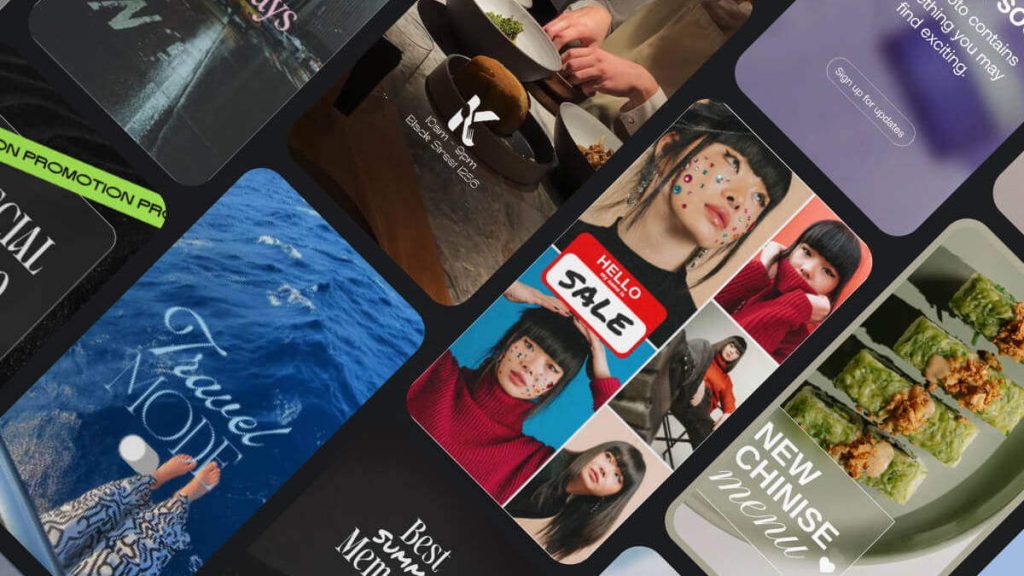
Static images are no longer enough to grab attention. Designers are increasingly expected to produce interactive stories, animated infographics, and immersive posts that invite users to engage. Tools like Instories make this easier than ever, allowing creatives to take static vector art or graphics and turn them into polished, interactive content suitable for Instagram Stories, LinkedIn updates, or client presentations.

Example: A freelance illustrator used Instories to animate a series of tutorial posts, transforming simple illustrations into dynamic stories that boosted engagement by 40%.

2. AI-Assisted Creativity

Artificial intelligence is becoming a staple in the designer’s toolkit. From suggesting layouts to generating color palettes, AI tools help designers experiment quickly and efficiently. Social media content can benefit from AI-driven recommendations for typography, visual effects, and post formatting. Platforms like Instories now integrate AI suggestions to help designers overcome creative blocks, offering templates and automated design ideas tailored for various social media platforms.

3. Short-Form Video and Motion Graphics

Short-form video content continues to dominate social media feeds. Designers must be adept at producing concise, visually compelling clips that tell a story in seconds. Whether it’s an animated infographic, a product highlight, or a branded teaser, motion graphics are essential for engagement. With tools like Instories, designers can animate vector elements, add transitions, and produce professional-looking videos without heavy software or steep learning curves.

4. Consistency Across Platforms

With users consuming content across Instagram, TikTok, LinkedIn, and beyond, brand consistency is key. Designers need to ensure that colors, typography, and visual language remain cohesive across multiple formats. Templates, reusable assets, and smart workflow tools are more important than ever. Designers using Instories can maintain consistent branding across stories, posts, and video content, ensuring that every piece aligns with their client’s identity.

You may also like: How Instories Helps Designers and Creators Produce Stunning Visual Stories

5. Personalization and Community Engagement

Social media in 2025 is less about broadcasting and more about meaningful interaction. Designers will be tasked with creating content that resonates with niche audiences, incorporates user feedback, and invites participation. Interactive polls, quizzes, and story features allow for deeper engagement. Designers who master these features can elevate client projects from static campaigns to community-building experiences.

Key Takeaways for Designers

  • Invest in tools that streamline creation of dynamic and interactive content.
  • Explore AI-powered design platforms for faster ideation and inspiration.
  • Learn short-form video production and motion graphics for maximum engagement.
  • Prioritize consistency across platforms with reusable templates and brand kits.
  • Focus on audience interaction to create content that builds community.

As social media evolves, designers who embrace these trends will not only stay relevant but also deliver content that captivates and converts. Platforms like Instories make it easier to implement these trends, combining animation, AI suggestions, and brand consistency tools in one accessible interface. By integrating such tools into their workflow, designers can focus on creativity while keeping up with the fast-paced demands of social media in 2025.

Instories Reels & Stories templates

How Instories Helps Designers and Creators Produce Stunning Visual Stories

In the world of digital design, creating visually compelling content that engages an audience is both an art and a challenge. Designers, illustrators, and creative professionals constantly seek tools that save time, maintain quality, and offer flexibility. One platform that has been making waves among creatives is Instories — a content creation tool that combines templates, animations, and intuitive design features to produce professional visual stories with ease.

Streamlining Visual Storytelling

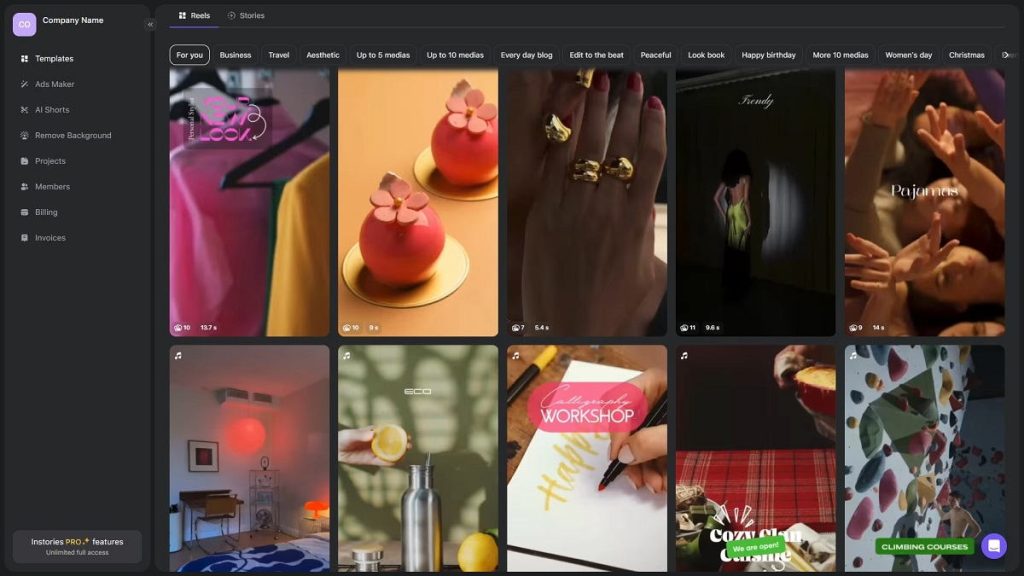
Designers know the value of a well-crafted visual story. Whether it’s for social media, client presentations, or portfolio showcases, the right visual can make a lasting impression. Instories simplifies this process by offering a library of customizable templates that fit various formats, including Instagram Stories, Facebook posts, and short videos.

For example, a designer can take an infographic or vector illustration created in Adobe Illustrator, import it into Instories, and enhance it with animations, captions, or transitions. Within minutes, a static image transforms into an interactive, shareable story. This feature is especially useful for designers who want to showcase their work dynamically or create engaging content for clients.

Maintaining Brand Consistency

Brand identity is crucial for designers working with clients or promoting their own work. Instories allows creators to maintain a consistent visual language across all content. You can customize colors, fonts, and layouts across templates, ensuring that every post, story, or video aligns with your or your client’s brand guidelines.

A freelance designer, for instance, used Instories to create a full series of promotional stories for a small business client. By locking in the brand palette and typography, every story — from product showcases to customer testimonials — looked cohesive and professional.

Turning Vector Art into Engaging Content

Vector graphics are the backbone of professional design, offering scalability and precision. Instories integrates seamlessly with vector assets, allowing designers to import logos, icons, and illustrations directly into stories. Once inside the platform, these elements can be animated, resized, or combined with text and other media to produce visually compelling narratives.

Consider a designer who created a set of vector icons for a tech startup. Using Instories, they animated the icons to demonstrate app functionality in a social media story. The result was an interactive, eye-catching post that conveyed complex information in an accessible way.

Inspiring Creativity with Templates and AI

Even experienced designers occasionally face creative blocks. Instories addresses this by offering AI-powered suggestions and a wide variety of templates. Designers can explore new layouts, visual effects, and animation styles without starting from scratch. This not only speeds up content creation but also sparks fresh ideas for presenting work, marketing campaigns, or portfolio pieces.

Case in point: A graphic designer producing weekly tutorial videos for Instagram used Instories’ AI suggestions to experiment with new animation effects, keeping their audience engaged while saving hours of design time each week.

Collaborative Features for Teams

Many design projects involve teams, from fellow designers to marketers or clients. Instories supports collaborative workflows by allowing multiple users to access templates, comment on drafts, and finalize content in one centralized platform. This streamlines the creative process, reduces revisions, and ensures everyone is aligned on the final output.

Why Designers Choose Instories

For creative professionals, Instories isn’t just another tool – it’s a way to elevate visual storytelling. The platform offers:

  • Efficient content creation with 3000+ templates and AI tools like AI video and image generation, magic backgrounds, AI avatars and even creative photoshoots..
  • Integration with vector graphics for dynamic, animated stories.
  • Brand consistency across all social and presentation content.
  • Time-saving features that free designers to focus on core creative work.

Whether you’re a freelancer, a small design studio, or a corporate creative team, Instories helps transform static visuals into engaging stories that capture attention and communicate ideas effectively.

Final Thoughts

For designers and creative professionals, visual storytelling is a cornerstone of success. Instories provides the tools to create professional, polished, and engaging content quickly, turning vector art, illustrations, and designs into interactive stories that resonate with audiences. By combining intuitive design features, animation, and brand consistency tools, Instories helps creatives not just produce content, but tell compelling visual stories.

Learn more about Instories here: instories.com