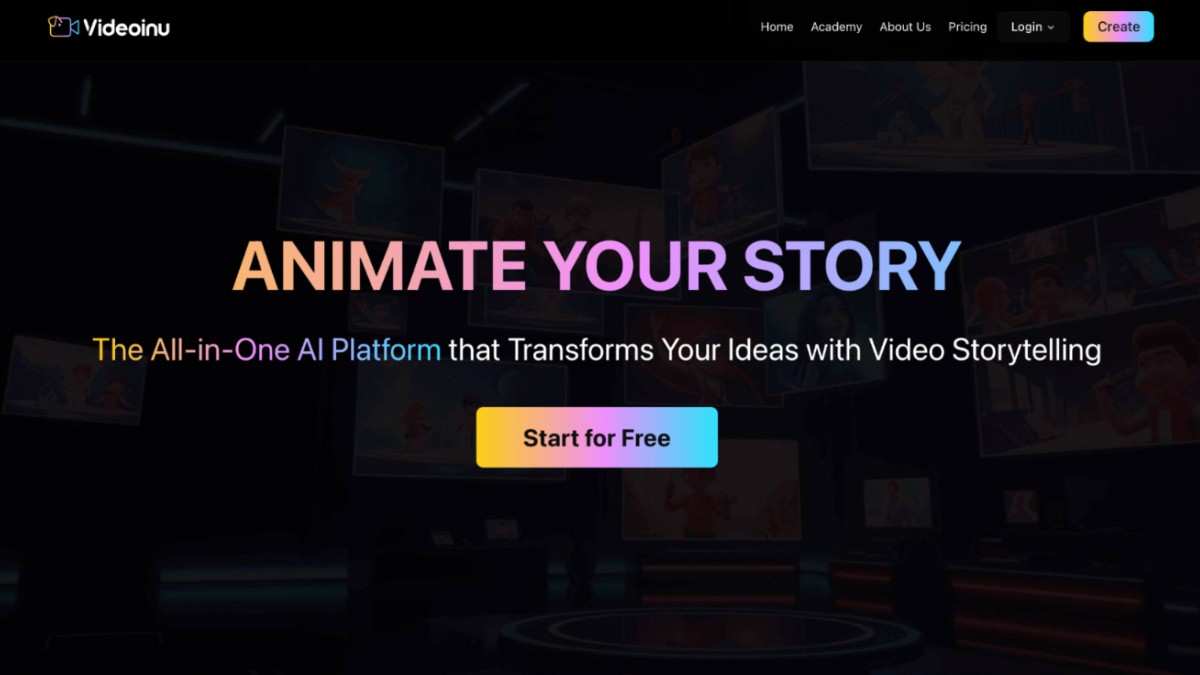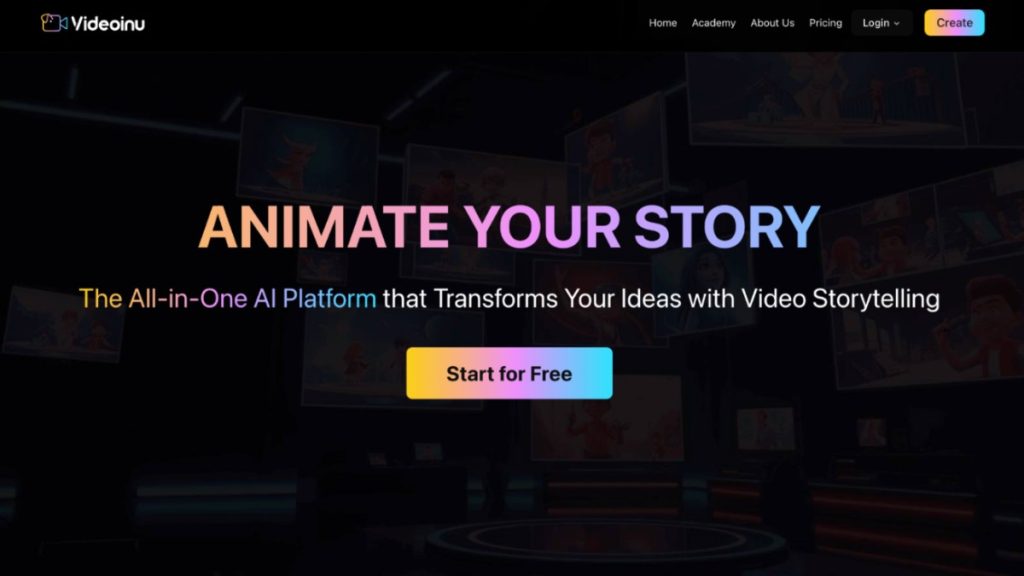
Videoinu AI Story Video Generator

How to Use an AI Story Video Generator for Longer, Better Storytelling

Videoinu AI Story Video Generator

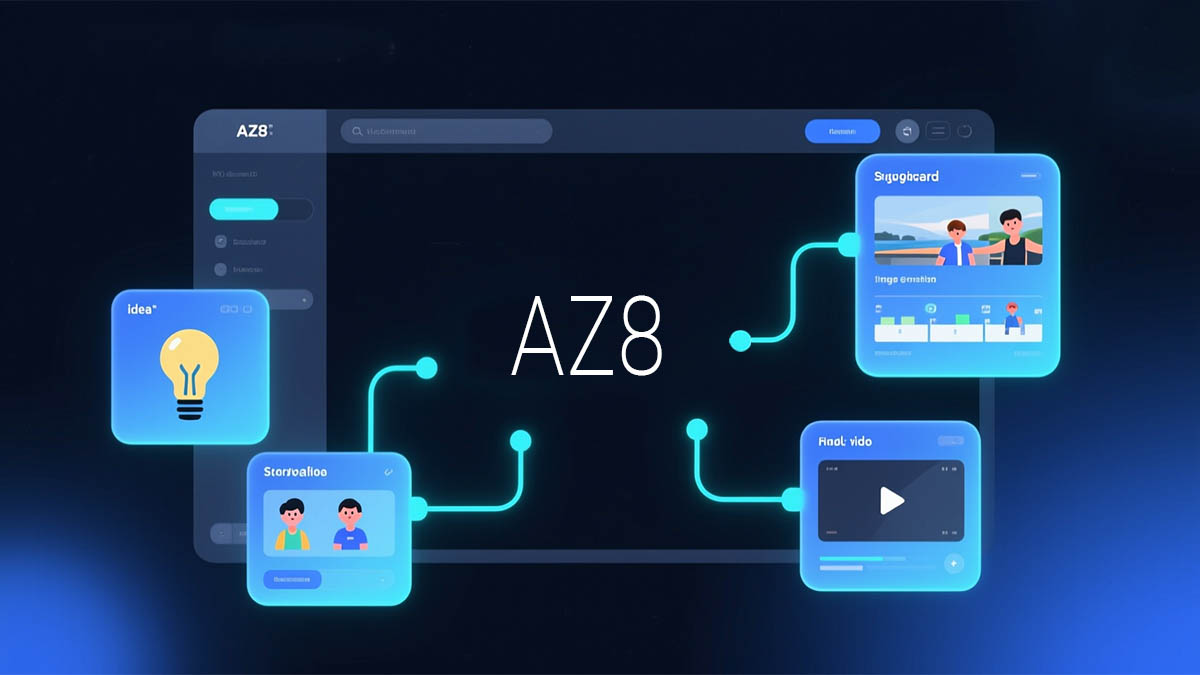
An AI story video generator is useful when you want more than one short clip. Instead of
making isolated shots, it helps you turn an idea into connected scenes with better flow.

That is the angle Videoinu takes with its AI Story Video Generator, which is built around
story-based video creation rather than one-off generation.

Why This Type of Tool Matters

A lot of AI video tools are great for quick visual experiments, but story content needs more
structure. If you are making a short narrative, a lesson, a children’s story, or a branded video
with a beginning, middle, and end, you need scene flow, pacing, and continuity. Videoinu’s AI Story Video Generator page describes exactly that kind of workflow, starting from a written story or script and turning it into a sequence of scenes.

This is also why story video tools feel different from standard text-to-video tools. Videoinu’s
text-to-video page is more focused on turning prompts into videos quickly, while the story
tool is positioned around multi-scene storytelling and narrative structure.

A Different Way to Think About It

Instead of asking, “How do I make one good AI clip?” a better question is, “How do I keep viewers interested from one scene to the next?” That is where an AI story video generator becomes more useful.

Videoinu’s homepage also supports this bigger-picture idea. It presents the platform as an all-in-one AI storytelling tool and says users can go beyond short 10-second limits to create
much longer videos, including animated episodes for YouTube. That longer-form positioning fits naturally with story-based creation.

Videoinu also offers access to many AI video models, including Sora, so users can explore
different styles and results in one place. Its main appeal, though, is not just model access.
The stronger point is having a simpler workflow for building videos and improving them over time.

How to Use an AI Story Video Generator

Videoinu – AI Story Video Generator

Step 1: Start with a Simple Story Outline

Do not start with a giant script. Start with a clean outline.

For example:
● A girl finds a map in an old book
● She follows it into the forest
● She discovers a hidden tower
● She opens the door and finds a glowing machine

That is enough for a first test. Videoinu’s story page says users can begin with a written
story, plot outline, or script, so you do not need a polished screenplay before you start.

Step 2: Think in Scenes, Not in Paragraphs

This is the biggest mindset shift. Story videos work better when each part has a clear visual
purpose.

Instead of writing one long description, break the story into moments:
● setup
● change
● tension
● reveal
● ending

That scene-based approach fits the way Videoinu describes its generator, where the written input is transformed into a sequence of scenes with visual continuity.

Step 3: Choose the Tone and Style Early

Before generation, decide what kind of story this is. Is it warm, dramatic, educational, playful, or cinematic?

Videoinu’s pages repeatedly emphasize style choice and story direction. Its broader platform
pages also mention multiple art styles, character consistency, and AI voiceovers, which matter a lot when you want the story to feel coherent from start to finish.

This step helps you avoid a messy result. A children’s story, a brand story, and a dark
fantasy scene should not all be guided the same way.

Step 4: Generate a Draft, Not a Final Video

When you first generate the story, treat it like a draft.

That is the best way to use a story video tool. Watch for:
● whether the scenes feel connected
● whether the pacing is too fast or too slow
● whether the tone stays consistent
● whether the story is easy to follow

The Videoinu’s story page and related model pages emphasize connected scenes, pacing, and
continuity, which suggests the platform is meant to be used iteratively rather than as a
one-click finalizer.

Step 5: Refine the Story Flow

This is where the real quality comes from.

If the video feels random, the story structure may be too loose. If it feels rushed, you may
need to slow down transitions or split the idea into more scenes. If it feels flat, the tone may
need stronger visual direction.

The Videoinu’s workflow pages make the same point in different ways: generate, preview, review and improve. That applies to story content even more than regular AI clips.

You may also like Question AI Review Meet The Free AI Homework Helper Transforming Education

What Videoinu Is Good At Here

Videoinu looks strongest when the goal is not just “make a clip”, but “build a story”.

Its public pages consistently highlight:
● story-driven creation
● longer-form video potential
● character consistency across scenes
● multiple AI models in one workflow
● voice and style options for more complete videos

That combination matters because good story videos need more than visuals. They need
repeatability. You want characters to feel stable, scenes to connect, and the overall result to feel like one piece of content instead of scattered experiments. Videoinu’s public positioning is closely aligned with that use case.

Tips for Better Story Videos

Start smaller than you think. A short, clear story usually works better than an
overcomplicated one. This fits Videoinu’s prompt-driven workflows, which favor clear
direction at the start.

Use structure. Even a basic beginning-middle-end format can make the output feel much
more intentional. That aligns with the story page’s focus on scene sequencing.

Do not judge the tool on the first try. Story generation is usually a process of shaping and
refining, especially if you want publishable content instead of a quick demo. Videoinu’s
pages repeatedly frame creation as preview-and-improve, not just instant perfection.

Final Thoughts

The strongest way to use an AI story video generator is to treat it like a storytelling workflow, not a clip machine. Start with a simple outline, break it into scenes, generate a draft, and improve the flow. Videoinu fits that process well because its public product pages are clearly built around story-driven creation, longer-form output, and connected scenes.

FAQs

What is an AI story video generator?

It is a tool that turns a written story, outline, or script into a sequence of connected video
scenes. Videoinu presents its AI Story Video Generator as a way to make story-based
videos with visual continuity.

How is it different from text to video?

Text-to-video is often used for single clips from prompts, while a story video generator is built
for scene flow and narrative structure. Videoinu has separate pages that reflect this
difference.

Is Videoinu only for short clips?

No. Videoinu’s homepage says users can create much longer videos and even animated
episodes for YouTube, which supports longer storytelling workflows.

Does Videoinu support other models too?

Yes. Videoinu’s public pages show access to many AI video models, including Sora and
other model families, within the broader platform.

Do I need editing experience?

Videoinu’s public pages describe automated workflows for story video, text-to-video, and video transformation. This suggests it is designed for users who want a simpler creation process without heavy editing skills.

AI Tool - PPT to Video

The Rise of AI Presentation Video Tools: Where FlexClip Fits In

AI Tool - PPT to Video

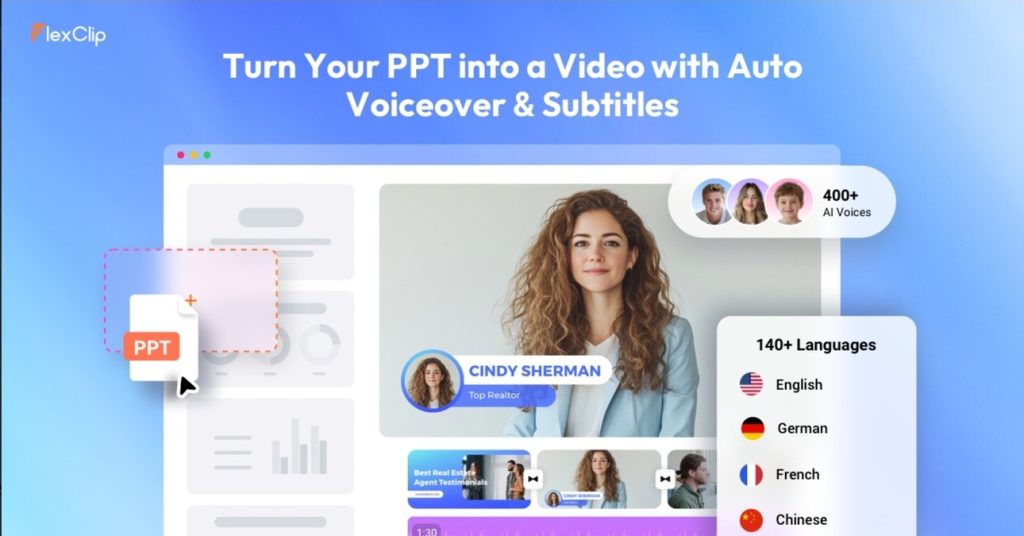
The way we communicate ideas is evolving. Traditional slide-based presentations are gradually being replaced—or at least supplemented—by video content. This shift is driven by changes in audience behavior, where visual storytelling and on-demand consumption are becoming the norm.In this context, AI-powered tools like FlexClip’s PPT to Video converter represent a broader trend: the automation of content transformation.

From Static Slides to Dynamic Content

PowerPoint presentations were originally designed for live delivery. They rely heavily on a speaker to provide context, explanation, and engagement.

When shared independently, however, slides often lose their effectiveness. Without narration or pacing, they become static and difficult to follow.

Video solves this problem by combining visuals, timing, and audio into a single, cohesive format. The challenge has always been the effort required to create such videos.

AI is now changing that equation.

Automation as a Creative Enabler

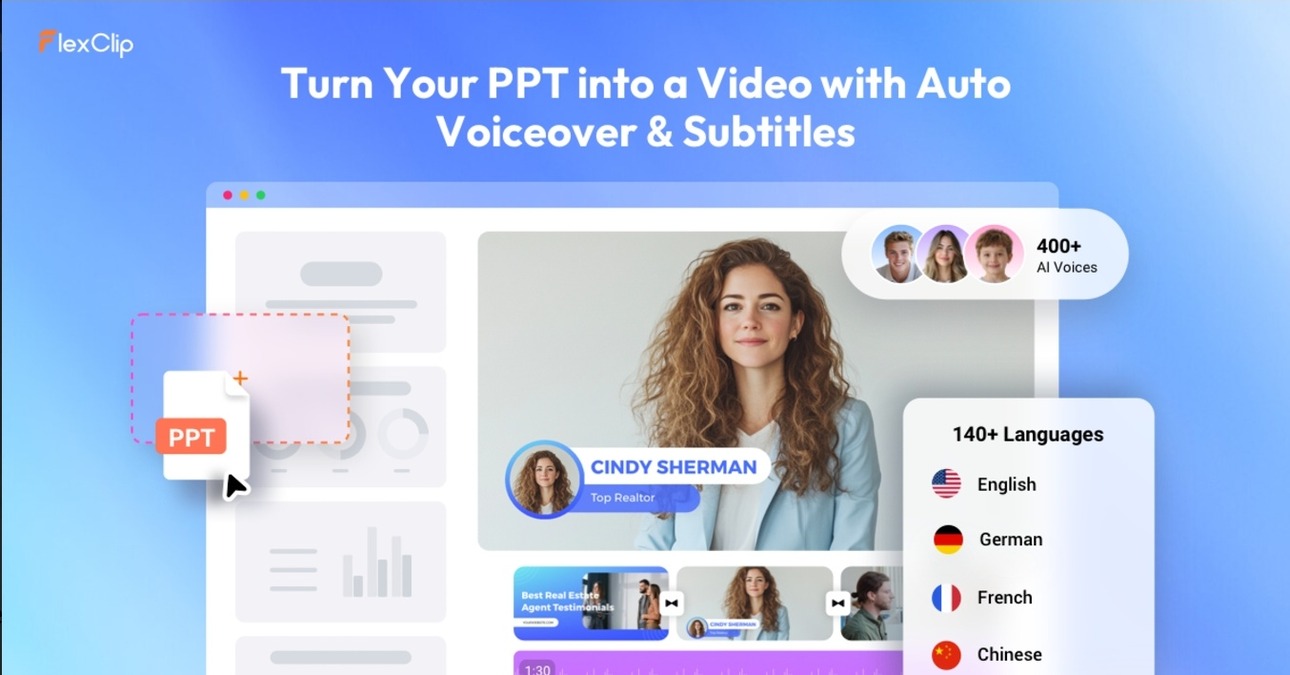
FlexClip’s AI PPT-to-Video tool exemplifies how automation can simplify content creation.

Instead of manually editing videos, users can upload a presentation and allow the system to generate a video automatically. The addition of AI voiceover further reduces the need for external resources.

This does not eliminate creativity—it shifts it. Users spend less time on technical execution and more time refining content and messaging.

Accessibility and Democratization

One of the most significant impacts of tools like FlexClip is increased accessibility.

Video production has traditionally required specialized skills and software. By contrast, AI-driven platforms lower the barrier to entry, enabling a wider range of users to create video content.

This democratization is particularly important in:

  • Education, where teachers need scalable content solutions
  • Small businesses, which may lack dedicated video teams
  • Global communication, where multilingual content is essential

Efficiency in Content Repurposing

Another important aspect is content repurposing.

Organizations often invest significant time in creating presentations. With tools like FlexClip, these materials can be quickly transformed into videos, extending their value and reach.

This aligns with modern content strategies, where a single piece of content is adapted for multiple formats and platforms.

You may also like FlexClip Review 2024 Comprehensive Analysis of Advantages Disadvantages Hidden Features

Limitations of AI-Driven Tools

Despite their advantages, AI tools are not without limitations.

Automation can sometimes lead to generic outputs, especially when the input content lacks strong visual design. Additionally, AI-generated narration may not fully capture the nuance of human delivery.

Therefore, while tools like FlexClip can accelerate production, they still benefit from human oversight and refinement.

Where FlexClip Stands

FlexClip positions itself as a practical, user-friendly solution within this evolving landscape.

Its strengths lie in:

  • Ease of use
  • Fast processing
  • Integrated AI features

Rather than competing with high-end video production software, it focuses on efficiency and accessibility.

This makes it particularly relevant for users who prioritize speed and simplicity over advanced customization.

Looking Ahead

The development of AI presentation tools reflects a broader shift toward automation in content creation. As these technologies continue to improve, we can expect:

  • More natural AI voice generation
  • Better visual enhancement of slides
  • Greater customization options

FlexClip’s AI PPT to Video tool is part of this ongoing evolution, offering a glimpse into how presentations may be created and shared in the future.

Final Reflection

The transition from slides to video is not just a technical change—it represents a shift in how information is consumed and communicated.

By simplifying the conversion process, tools like FlexClip enable users to adapt to this new reality more easily. While not a replacement for all forms of video production, they serve as an efficient bridge between traditional and modern content formats.

9 Free Google AI Tools

9 Incredible FREE Google AI Tools You Can Use and Stop Paying for Subscriptions

9 Free Google AI Tools

Let’s be real, AI subscriptions are starting to drain our wallets. But what if I told you that Google has a ‘secret stash’ of AI tools that are arguably more powerful than the paid ones, and they won’t cost you a single cent?

Whether you want to generate stunning images (just like the ones we’re doing here), enhance your workflow, design a website, or anything else you can imagine, these tools have you covered. From turning boring PDFs into viral-style podcasts to building full-blown apps just by chatting, these tools are absolute game-changers. Here are 9 Free Google AI tools you need to start using today.

Tool NameBest For…Launch DatePopularity Level
1. NotebookLMTurning documents into AI PodcastsJuly 2023⭐⭐⭐⭐⭐ (Viral!)
2. Nano Banana ProHigh-end studio-quality imagesAug 2025⭐⭐⭐⭐ (Top Pick)
3. Project AstraReal-time visual & voice assistanceSept 2025⭐⭐⭐⭐ (Mind-blowing)
4. Google AI StudioBuilding apps with “Pro” AI modelsDec 2023⭐⭐⭐⭐
5. Gemini CanvasTurning notes into presentationsDec 2025⭐⭐⭐ (Hidden Gem)
6. Google VidsAuto-generating videos from docsAug 2025⭐⭐⭐
7. OpalNo-code task automationJuly 2025⭐⭐⭐
8. PomelliInstant branding & social contentOct 2025⭐⭐
9. Google StitchProfessional UI/UX prototypingMay 2025⭐⭐

1. NotebookLM – Your FREE AI Podcast Generator

One of the first free Google AI tools – NotebookLM isn’t just an AI notebook; it has a ‘Deep Dive’ audio feature. You can upload a 50-page research paper or a messy set of meeting notes, and it generates a stunningly realistic podcast-style conversation between two AI hosts discussing your data. It’s the perfect way to ‘read’ while you’re commuting, and it costs nothing.

  • The Backstory: The ‘OG’ of the list, first launched in July 2023. Originally an experimental tool for researchers and students to organize notes.
  • Why It’s Trending: This is the #1 most popular tool on this list..! The ‘Audio Overview’ (Podcast) feature went viral because the AI voices sound incredibly human.
  • Go to NotebookLM.google

2. Nano Banana Pro – FREE Studio-Quality AI Image Gen

Google’s latest image generation model is a beast. Whether you need hyper-realistic product shots or 4K conceptual art for your blog, this tool delivers lighting and textures that rival professional photography. Just describe your vision, and let the AI do the heavy lifting. Why pay for Midjourney when you have this for free?

  • The Backstory: The Nano Banana model was released in August 2025, with the Pro version landing in November 2025. It serves creatives and content creators looking for the highest fidelity images.
  • Why It’s Trending: It’s the #2 most used tool because it’s built directly into Gemini. It’s fast, high-res, and 100% free to use.
  • Go to Gemini.google.com → Tools → Create images

You may also like: 7 Features of AI Powered Google Photos Editing You Must Try

3. Project Astra (Gemini Live) – Your FREE AI Eyes & Ears

Ever wished you could point your phone camera at a broken car engine and have an expert tell you exactly what’s wrong? That’s Project Astra. It’s a real-time free Google AI tools built-in Gemini as your assistant that can see, hear, and remember what you show it. It’s not just a chatbot; it’s a conversational partner with visual memory.

  • The Backstory: First teased at Google I/O 2024, the fully integrated free version for Android & iOS users was released in September 2025. It was built for everyone who needs ‘on-the-go’ assistance for daily life tasks.
  • Why It’s Trending: People are obsessed with its ‘Visual Recall’ ability. For example, you can ask, “Hey, where did I leave my keys?” and the AI will remember because it saw them while you were walking through your room earlier. It’s absolutely mind-blowing..!
  • Open Gemini apps on you mobile phone → tap the ‘Live’ ✨ (sparkle icon) at the bottom right of your screen. To enable the ‘Eyes’ feature (Astra), simply tap the 📹 Camera icon within the Live session to start sharing your view with the AI in real-time.

4. Google AI Studio – Create Apps for FREE Just by Chatting

Coding used to be a barrier, but not anymore. Within Google AI Studio, the ‘Build’ feature allows you to create functional web applications simply by talking to the AI. Want a custom habit tracker or a niche calculator for your business? Just tell the AI what it should do, and watch it write the entire codebase in seconds.

  • The Backstory: Released in December 2023 as part of the broader Gemini ecosystem. It’s built for developers and tech enthusiasts who want to leverage Google’s most powerful models (like Gemini 3) via API.
  • Why It’s Trending: It’s highly popular because it provides “pro-level” access to AI models for free, which usually costs a lot on other platforms.
  • Go to AIstudio.google.com

5. Gemini Canvas – FREE Pro Presentations in Seconds

Forget the tedious process of copying and pasting text into PowerPoint slides. This is another free Google AI tools built inside Gemini, Canvas allows you to organize your thoughts, research, and data on a visual board. With one click, it can structure your content into a clean, professional presentation format.

  • The Backstory: Released very recently in December 2025. It was introduced as a feature for office workers and students who need to turn ‘brainstorming mess’ into ‘meeting-ready slides’.
  • Why It’s Trending: It’s a “hidden gem” that’s quickly becoming a favorite for anyone who hates manual slide formatting.
  • Go to Gemini.google.com → Tools → Canvas

6. Google Vids – Your FREE AI Video Editor & Storyboarder

Can’t edit video? Don’t have the budget for a videographer? Google Vids is the answer. This tool allows you to create professional videos for marketing, tutorials, or presentations using just a simple prompt or an existing document. It automatically handles the storyboarding, suggests relevant stock footage, and even adds background music.

  • The Backstory: Originally introduced as a workspace productivity tool in late 2024, the fully-featured free version for all Google accounts rolled out in August 2025. It was designed for content creators and office professionals who want to produce video content without the steep learning curve of complex editing software.
  • Why It’s Trending: It’s a hit because of its “Help Me Create” feature, which can turn a Google Doc or a set of Slides into a complete video draft in seconds.
  • Go to Vids.google.com

7. Opal – The FREE ‘No-Code’ Automation Powerhouse

If you’re tired of the ‘task limits’ on other automation platforms, you need to check out Opal. It acts as an AI-powered personal assistant that handles your workflows through natural language. You can set up complex logics like, “Whenever I get a feedback email, summarize it and send a notification to my Slack,” without touching a single line of code – all for zero cost.

  • The Backstory: First released in July 2025. It came out as a ‘productivity experiment’ for power users who wanted to automate boring tasks without learning complex tools like Zapier.
  • Why It’s Trending: It’s the top choice for the no-code community because it allows for unlimited task automation for free.
  • Go to Opal.google

8. Pomelli – Your FREE AI Brand & Content Strategist

Struggling to keep your social media content consistent? Pomelli scans your existing website or brand assets to learn your ‘vibe’ – your colors, your tone of voice and your audience. It then auto-generates marketing copy and social posts that feel like you. It’s like having a professional marketing agency in your pocket for free.

  • The Backstory: One of the newest entries, launched in October 2025. It was designed for small business owners (SMBs) and marketers who can’t afford a full-time creative agency.
  • Why It’s Trending: It’s gaining traction fast because it’s one of the few tools that actually understands ‘Brand DNA’ rather than just spitting out generic text.
  • Go to labs.google.com/Pomelli (currently available only on some regions)

9. Google Stitch – High-End UI Design for FREE

Got a brilliant app idea but zero design skills? Google Stitch is your new best friend. You can literally describe what you want or upload a rough hand-drawn sketch, and the AI transforms it into a professional, high-fidelity UI design. It doesn’t just give you a picture; it provides the front-end code to get you started.

  • The Backstory: First launched in May 2025 at Google I/O. It was created specifically for designers and developers to bridge the gap between a ‘sketch’ and a ‘working prototype’.
  • Why It’s Trending: It’s a niche favorite because it saves days of manual UI layout work, making it the go-to for startup founders.
  • Go to Stitch.withgoogle.com

The Bottom Line

The AI world is moving fast and you don’t always have to pay to stay ahead. These 7 tools prove that Google is serious about making high-end tech accessible to everyone. Give them a spin and see how much time and money you can save. Which of these free tools are you going to try first..? Let me know in the comments below..!

AI Autonomous Vehicles

Innovative Ways AI is Transforming Everyday Life

Img source

Artificial Intelligence is no longer something we only hear about in tech labs or futuristic movies. It has quietly become part of our everyday routines, improving how we travel, work, shop, and even relax at home. Across industries such as healthcare, manufacturing, agriculture, and retail, AI is helping people make faster decisions, reduce errors, and use resources more efficiently. Below is a closer look at some of the most impactful ways AI is shaping daily life today.

1. Autonomous Vehicles: Redefining Mobility

AI Autonomous Vehicles

Self-driving cars and AI-powered drones are among the most visible examples of artificial intelligence in action. Companies like Tesla and Waymo rely on AI to process data from cameras, sensors, and radar systems, allowing vehicles to detect obstacles, read road conditions, and make split-second decisions.

Beyond passenger cars, AI-powered drones are being used for deliveries, aerial mapping, infrastructure inspections, and emergency response. These systems help improve safety, reduce human error, and make transportation more efficient overall.

2. AI Video Security Systems: Smarter Surveillance

AI Video Security Systems

Modern AI security systems have changed the way surveillance works. Instead of passively recording footage, these systems actively analyze video feeds in real time. AI can identify unusual behavior, unauthorized access, loitering, or potential hazards such as smoke and fire.

Advanced AI security systems go beyond traditional monitoring by detecting anomalies and sending alerts immediately. Solutions that use AI-powered video management can recognize patterns, flag suspicious activity, and help security teams respond faster. This proactive approach is especially valuable in sensitive environments like airports, financial institutions, schools, and critical infrastructure, where early detection can prevent serious incidents.

You can see this shift in how newer platforms are built. For example, systems like Coram focus on turning standard IP camera feeds into searchable, actionable security data, so teams spend less time scrubbing through footage and more time responding to real issues. The broader trend is clear: video surveillance is moving from “record and review later” to “detect and respond now,” which is exactly what many organizations need as sites grow larger and security staff stay lean.

3. Smart Manufacturing: Efficiency in Factories

AI Smart Manufacturing

In manufacturing, AI has become a powerful tool for improving productivity and precision. AI-driven robots now handle tasks such as assembling components, inspecting products for defects, and predicting equipment failures before they happen.

These systems reduce downtime, lower operational costs, and improve product quality. By automating repetitive and high-risk tasks, AI also creates safer working conditions while allowing human workers to focus on more complex responsibilities.

4. Healthcare Robotics: Enhancing Patient Outcomes

AI Healthcare Robotics

AI has made a major impact in healthcare, particularly through robotics and data analysis. Surgical robots guided by AI assist doctors in performing delicate procedures with higher accuracy. In rehabilitation, AI-powered devices adapt therapy programs based on patient progress, offering more personalized care.

AI also supports doctors by analyzing medical images, detecting early signs of disease, and predicting patient outcomes. These advancements help healthcare providers deliver faster diagnoses and more effective treatments.

5. Agriculture Drones: Revolutionizing Farming

AI Agriculture Drones

Farming has become increasingly data-driven thanks to AI. Drones equipped with AI monitor crops, detect pests, and evaluate soil conditions across large areas. The data collected is analyzed to guide irrigation, fertilization, and harvesting decisions.

This technology helps farmers reduce waste, improve crop yields, and use resources more responsibly. AI-driven agriculture supports sustainable farming practices while addressing challenges like food security and climate change.

6. Smart Traffic Systems: Reducing Urban Congestion

Cities around the world are using AI to tackle traffic congestion. Smart traffic systems collect data from cameras, sensors, and GPS devices to monitor traffic flow in real time. AI adjusts traffic light timing, predicts congestion, and helps redirect vehicles to less crowded routes.

Cities such as Singapore and Los Angeles have already seen improvements in travel time, fuel efficiency, and air quality by using AI-driven traffic management systems.

7. Retail Automation: A New Shopping Experience

AI Retail Automation Shopping Experience

AI is reshaping how people shop, both online and in physical stores. Automated retail concepts like cashier-less stores use AI to track products and process payments without traditional checkout lines.

Online, AI-powered recommendation engines analyze browsing behavior and purchase history to suggest products customers are more likely to want. This personalization improves the shopping experience and helps retailers better manage inventory and sales strategies.

8. Energy Optimization: Powering Sustainability

AI Energy Power Optimization

The energy sector uses AI to balance supply and demand more effectively. AI systems predict energy usage patterns, optimize power generation, and manage grid loads in real time.

Renewable energy sources such as solar and wind also benefit from AI, which helps forecast weather conditions and adjust operations accordingly. These capabilities reduce energy waste and support a shift toward cleaner, more sustainable power sources.

9. Construction Robotics: Building the Future

AI-driven robotics are transforming construction by handling physically demanding and repetitive tasks. Robots can assist with bricklaying, welding, and even 3D printing of building components.

AI also helps project managers plan schedules, monitor progress, and identify risks early. This leads to faster project completion, better safety standards, and lower costs across construction projects.

10. Home Automation: Smarter Living Spaces

AI Home Automation Smarter Living

AI has made homes more comfortable and efficient. Smart thermostats learn household habits and adjust temperatures to save energy. Robot vacuum cleaners adapt to room layouts and cleaning schedules, while voice assistants manage daily tasks and control connected devices.

These AI-powered tools make everyday life easier while helping households reduce energy consumption and expenses.

Conclusion

AI is steadily becoming part of everyday life, often working behind the scenes to improve efficiency, safety, and convenience. From healthcare and transportation to retail, energy, and home automation, its impact is wide-reaching and growing.

As AI technology continues to advance, it will become even more integrated into daily activities, offering smarter solutions to complex challenges. This ongoing transformation has the potential to improve quality of life, support sustainability, and shape a more connected and intelligent future.

AI Logo Generator: Create Stunning Vector Logos Free

Logos are more than just a design, they’re the face of your brand. A strong logo instantly communicates identity, professionalism, and creativity. But for many startups, small businesses, or even freelancers, hiring a professional designer can be expensive.

That’s where AI Logo Generators step in. These tools use artificial intelligence to create smart, unique, and scalable vector logos in just a few clicks. Some people call them AI Logo Makers or even AI Logo Creators, but the idea is the same: fast, intuitive branding powered by AI.

In this article, we’ll explore how AI logo generators work, why they’re perfect for vector graphics, and recommend the best free or freemium apps to get started.

Why Use an AI Logo Generator?

Back in the 90s and earlier, design-work was done manually, using freehand techniques and drawing tools. Then, from the mid-90s to the 2000s and beyond, computers took over with the rise of design software and apps. Today, the design culture has shifted once again, AI has become the fastest way to create designs, whether by product owners or professional designers themselves.

That’s why AI Logo Generator is booming right now, it has become a must know tool for every entrepreneur, or even freelancers, because it helps you:

  1. Speed – Create dozens of logo ideas in seconds.
  2. Cost-effective – Many tools are free or freemium, much cheaper than hiring a designer.
  3. Scalable Vectors – Export your logos in SVG, EPS, or PDF, making them crystal-clear for websites, packaging, or even billboards.
  4. Personalization – AI tools adapt to your brand’s colors, style and keywords.

How It Works

Most AI Logo Generators follow a similar process:

  1. Enter your brand name and tagline.
  2. Pick style preferences (modern, minimalist, playful, etc.).
  3. The AI generates multiple logo options.
  4. Customize colors, icons, and typography.
  5. Download your vector logo files.

It’s literally branding on autopilot.

Recommended Free & Freemium AI Logo Generator Tools

Here are some of the best AI-powered Logo Generator you can try today:

1. Looka (Freemium)

AI logo generator

Looka is an AI-powered logo generator that helps anyone create professional logos quickly by inputting brand name, style, and color preferences. It generates multiple designs, lets you customize them, and then download high-quality files for branding use. Besides logos, Looka also offers a full brand kit with social media templates and business assets.

  • Generates modern, professional logos with flexible style options.
  • Lets you edit fonts, colors, and layouts easily.
  • Free to try; pay only when you want high-resolution vector files.

Looka.com

2. Designhill Logo Maker (Freemium)

Designhill’s Logo Maker is an AI-powered tool that lets you quickly generate logo ideas by entering your business name, industry, and style preferences. You can then customize the generated logos (colors, fonts, layout) and pay a package price to download high-resolution and vector files with full ownership rights.

  • Simple and intuitive for beginners.
  • Offers free low-res previews; vector downloads available at a cost.
  • Comes with branding add-ons like business cards and social kit.

Designhill Logo Maker

3. Hatchful by Shopify (Free)

Hatchful by Shopify is a free logo maker that lets anyone create simple logos in minutes by choosing industry, style, colors and icons. You can download logos in PNG format (including transparent background), but it doesn’t provide vector files and has limited customization compared to professional design tools.

  • 100% free logo maker – great for startups and eCommerce.
  • No design experience required.
  • Downloads include PNG & vector formats.

Hatchful.shopify.com

4. Logo.com AI Logo Generator (Freemium)

AI logo generator

Logo.com is an AI-based logo maker that lets you generate unlimited logo designs by inputting your business name, industry and style preferences. You can customize colors, fonts, icons and then download full brand kits, including vector files (SVG, AI) for professional use.

  • Clean, modern interface.
  • AI suggests brand focused icons and typography.
  • Free logos with watermarks, paid plans unlock vector formats.

Logo.com

5. Fiverr – Find a Real Human Logo Designer

Fiverr is a global platform that connects clients with thousands of freelancers worldwide and one of the most popular services here is logo design. True to its name, Fiverr offers logo design services starting from as low as $5! Many new entrepreneurs and small business owners love Fiverr because they can get professional, high-quality logos at an incredibly affordable price. From minimalist styles to modern, premium-looking designs, everything can be ordered easily and delivered fast. You can even hire Fiverr designers to create a special custom logo made by humans, not AI – making Fiverr the perfect place for beginners to build their brand with a personal touch, without breaking the bank.

fiverr

6. Fotor AI Logo Generator (Freemium)

AI logo generator

Fotor is an AI-powered logo maker with ready-made templates, allowing you to customize fonts, colors, and icons, then download high-resolution logos in multiple formats including transparent PNG.

  • Cloud-based design platform with AI-powered logo creation.
  • Customizable templates, fast exports.
  • Free basic features, upgrade for high-quality vectors.

Fotor.com

Pro Tips to Get the Best Vector Logo from AI

  • Use clear keywords when describing your brand (e.g. ‘tech’, ‘organic’, ‘minimalist’).
  • Experiment with multiple generators – don’t stick to one.
  • Customize after AI suggestions to add personality.
  • Always download in vector format (SVG/EPS) for flexibility – for printings, signboard, billboard, media socials, etc.
  • When you find one that you’re comfortable with, you can then consider the paid version to get the extra features.

Final Thoughts

Whether you call it an AI Logo Generator, AI Logo Maker, or even an AI Logo Creator, the goal is the same: to help you build a professional brand identity quickly, affordably, and with design that scales perfectly.

With free and freemium tools like Looka, Hatchful, and Designhill, anyone can create a stunning vector logo in minutes, no design background required. So, if your brand is ready for a fresh face, let AI do the heavy lifting.

But, if you don’t satisfy with AI generated logo and still prefer human – a real designer’s touch, you can go to Fiverr and find designers that match your needs.

If you have suggestion or recommendation, priority with free version, let us know in the comment.

Instories free templates

Social Media Trends for Designers in 2025: What You Need to Know

Instories social media

The world of social media is evolving at lightning speed, and designers need to stay ahead to create engaging, on-trend content. From interactive visuals to AI-powered design tools, 2025 promises a host of opportunities for creatives who want to elevate their work and captivate audiences. Here’s a deep dive into the trends shaping social media design this year — and how designers can leverage the latest tools to stay competitive.

1. Dynamic and Interactive Content

Static images are no longer enough to grab attention. Designers are increasingly expected to produce interactive stories, animated infographics, and immersive posts that invite users to engage. Tools like Instories make this easier than ever, allowing creatives to take static vector art or graphics and turn them into polished, interactive content suitable for Instagram Stories, LinkedIn updates, or client presentations.

Example: A freelance illustrator used Instories to animate a series of tutorial posts, transforming simple illustrations into dynamic stories that boosted engagement by 40%.

2. AI-Assisted Creativity

Artificial intelligence is becoming a staple in the designer’s toolkit. From suggesting layouts to generating color palettes, AI tools help designers experiment quickly and efficiently. Social media content can benefit from AI-driven recommendations for typography, visual effects, and post formatting. Platforms like Instories now integrate AI suggestions to help designers overcome creative blocks, offering templates and automated design ideas tailored for various social media platforms.

3. Short-Form Video and Motion Graphics

Short-form video content continues to dominate social media feeds. Designers must be adept at producing concise, visually compelling clips that tell a story in seconds. Whether it’s an animated infographic, a product highlight, or a branded teaser, motion graphics are essential for engagement. With tools like Instories, designers can animate vector elements, add transitions, and produce professional-looking videos without heavy software or steep learning curves.

4. Consistency Across Platforms

With users consuming content across Instagram, TikTok, LinkedIn, and beyond, brand consistency is key. Designers need to ensure that colors, typography, and visual language remain cohesive across multiple formats. Templates, reusable assets, and smart workflow tools are more important than ever. Designers using Instories can maintain consistent branding across stories, posts, and video content, ensuring that every piece aligns with their client’s identity.

You may also like: How Instories Helps Designers and Creators Produce Stunning Visual Stories

5. Personalization and Community Engagement

Social media in 2025 is less about broadcasting and more about meaningful interaction. Designers will be tasked with creating content that resonates with niche audiences, incorporates user feedback, and invites participation. Interactive polls, quizzes, and story features allow for deeper engagement. Designers who master these features can elevate client projects from static campaigns to community-building experiences.

Key Takeaways for Designers

  • Invest in tools that streamline creation of dynamic and interactive content.
  • Explore AI-powered design platforms for faster ideation and inspiration.
  • Learn short-form video production and motion graphics for maximum engagement.
  • Prioritize consistency across platforms with reusable templates and brand kits.
  • Focus on audience interaction to create content that builds community.

As social media evolves, designers who embrace these trends will not only stay relevant but also deliver content that captivates and converts. Platforms like Instories make it easier to implement these trends, combining animation, AI suggestions, and brand consistency tools in one accessible interface. By integrating such tools into their workflow, designers can focus on creativity while keeping up with the fast-paced demands of social media in 2025.

Instories Reels & Stories templates

How Instories Helps Designers and Creators Produce Stunning Visual Stories

In the world of digital design, creating visually compelling content that engages an audience is both an art and a challenge. Designers, illustrators, and creative professionals constantly seek tools that save time, maintain quality, and offer flexibility. One platform that has been making waves among creatives is Instories — a content creation tool that combines templates, animations, and intuitive design features to produce professional visual stories with ease.

Streamlining Visual Storytelling

Designers know the value of a well-crafted visual story. Whether it’s for social media, client presentations, or portfolio showcases, the right visual can make a lasting impression. Instories simplifies this process by offering a library of customizable templates that fit various formats, including Instagram Stories, Facebook posts, and short videos.

For example, a designer can take an infographic or vector illustration created in Adobe Illustrator, import it into Instories, and enhance it with animations, captions, or transitions. Within minutes, a static image transforms into an interactive, shareable story. This feature is especially useful for designers who want to showcase their work dynamically or create engaging content for clients.

Maintaining Brand Consistency

Brand identity is crucial for designers working with clients or promoting their own work. Instories allows creators to maintain a consistent visual language across all content. You can customize colors, fonts, and layouts across templates, ensuring that every post, story, or video aligns with your or your client’s brand guidelines.

A freelance designer, for instance, used Instories to create a full series of promotional stories for a small business client. By locking in the brand palette and typography, every story — from product showcases to customer testimonials — looked cohesive and professional.

Turning Vector Art into Engaging Content

Vector graphics are the backbone of professional design, offering scalability and precision. Instories integrates seamlessly with vector assets, allowing designers to import logos, icons, and illustrations directly into stories. Once inside the platform, these elements can be animated, resized, or combined with text and other media to produce visually compelling narratives.

Consider a designer who created a set of vector icons for a tech startup. Using Instories, they animated the icons to demonstrate app functionality in a social media story. The result was an interactive, eye-catching post that conveyed complex information in an accessible way.

Inspiring Creativity with Templates and AI

Even experienced designers occasionally face creative blocks. Instories addresses this by offering AI-powered suggestions and a wide variety of templates. Designers can explore new layouts, visual effects, and animation styles without starting from scratch. This not only speeds up content creation but also sparks fresh ideas for presenting work, marketing campaigns, or portfolio pieces.

Case in point: A graphic designer producing weekly tutorial videos for Instagram used Instories’ AI suggestions to experiment with new animation effects, keeping their audience engaged while saving hours of design time each week.

Collaborative Features for Teams

Many design projects involve teams, from fellow designers to marketers or clients. Instories supports collaborative workflows by allowing multiple users to access templates, comment on drafts, and finalize content in one centralized platform. This streamlines the creative process, reduces revisions, and ensures everyone is aligned on the final output.

Why Designers Choose Instories

For creative professionals, Instories isn’t just another tool – it’s a way to elevate visual storytelling. The platform offers:

  • Efficient content creation with 3000+ templates and AI tools like AI video and image generation, magic backgrounds, AI avatars and even creative photoshoots..
  • Integration with vector graphics for dynamic, animated stories.
  • Brand consistency across all social and presentation content.
  • Time-saving features that free designers to focus on core creative work.

Whether you’re a freelancer, a small design studio, or a corporate creative team, Instories helps transform static visuals into engaging stories that capture attention and communicate ideas effectively.

Final Thoughts

For designers and creative professionals, visual storytelling is a cornerstone of success. Instories provides the tools to create professional, polished, and engaging content quickly, turning vector art, illustrations, and designs into interactive stories that resonate with audiences. By combining intuitive design features, animation, and brand consistency tools, Instories helps creatives not just produce content, but tell compelling visual stories.

Learn more about Instories here: instories.com

AI Music Creator & Generator

The Future of AI Music Tools: Comparing Top Platforms in 2025

Introduction: Where Creativity Meets Technology

Music creation has evolved from analog studios to laptops, and now to artificial intelligence. As someone constantly exploring the tools reshaping this space, I’ve tested multiple platforms that promise faster workflows, creative freedom, and high-quality sound. Among them, MusicCreator AI and its contemporaries highlight just how diverse the AI-powered ecosystem has become.

MusicCreator AI: Reinventing How We Approach Sound

MusicCreator AI

Trying out MusicCreator AI for the first time felt like stepping into a future where music flows as quickly as ideas. The platform goes beyond traditional beat-making by combining melody generation, lyric integration, and genre-based composition into one seamless experience. What impressed me most was the accessibility—everything is browser-based, meaning no heavy setup or long learning curve.

One of the hidden strengths is the integrated Stem splitter, which allows you to isolate vocals, basslines, or percussion with surprising clarity. For remixers and DJs, this function transforms old tracks into raw material for something entirely new. It’s not just about convenience; it’s about unlocking new creative possibilities that normally demand costly plugins or hours of manual editing.

Beyond the technical features, MusicCreator AI delivers on an emotional level—it shortens the distance between imagination and production, offering instant demos for songwriters or polished background music for creators under tight deadlines.

Voice.AI Stem Tool: Focused But Niche

Voice.ai

Exploring the stem separation service from Voice.AI offered a different perspective. The platform specializes in taking tracks apart, giving users distinct channels for vocals, drums, and other elements. It works well if your primary goal is to remix or study compositions rather than generate new ones from scratch.

In terms of workflow, the Stem splitter technology here feels accurate, though occasionally slower when compared with all-in-one systems. While it provides reliable results, the tool doesn’t expand much beyond audio dissection, leaving creative tasks like arranging or composing to other platforms. For users who simply want stems, it’s a focused choice, but it lacks the versatility of broader solutions.

You may also like: Top 5 Ad Intelligence Platforms You Shouldn’t Miss In 2025

Sesh.fm AI Stem Splitter: Built for Collaboration

Sesh AI

The offering from Sesh.fm positions itself as a resource for communities and collaborative music-making. Using it felt different because the platform emphasizes sharing, session work, and easy integration with group projects. Rather than treating stem separation as a solo activity, it’s baked into a social environment where creators interact and build together.

The Stem splitter here is serviceable and consistent, allowing users to pull apart tracks for sampling or educational demonstrations. Its real charm, however, lies in how it aligns technical functionality with collaborative culture. For those who thrive in group settings and want AI tools that fit community-driven workflows, Sesh.fm provides a refreshing angle.

Fadr: A Playground for Experimentation

Fadr

Finally, I tested Fadr, which positions itself as a playground for experimenting with audio and AI. The experience was less about polished production and more about curiosity-driven exploration, with tools for remixing, genre-bending, and sound manipulation. It feels aimed at users who love tinkering, even if they’re not professional producers.

Its Stem splitter option works effectively but is integrated into a wider set of features that lean toward fun, experimentation, and rapid prototyping. You can imagine DJs or casual musicians using it as a sketchpad before moving into a professional workflow. While it may not deliver the refined, production-ready feel of MusicCreator AI, it excels in sparking playful creativity.

Final Thoughts: Choosing the Right Companion

The right tool ultimately depends on your goals. If you’re a DJ who only needs stems, Voice.AI does the job. For community-driven creators, Sesh.fm provides collaboration features. For experimental musicians, Fadr adds playful exploration. But if you’re seeking a platform that balances speed, accessibility, and professional-grade results, MusicCreator AI stands out by delivering an end-to-end creative experience with its intelligent composition features and robust Stem splitter.

As AI continues to merge with artistry, platforms like these aren’t replacing musicians—they’re becoming essential partners in the creative journey. For anyone serious about producing original, adaptable, and professional-quality music, MusicCreator AI deserves a closer look.

Tracking Location apps

How to Track My Girlfriend’s Location without Her Knowing (2025 Guide)

Man Stress

Overview

Trust is the foundation of any strong relationship. However, sometimes doubts creep in. You might feel a growing suspicion that your girlfriend isn’t being truthful about her whereabouts. This can lead to a state of constant worry and anxiety.

The desire for reassurance and truth is a natural response to such feelings. Monitoring her location discreetly can provide clarity, either confirming your fears or putting your mind at ease.

Can You Track Someone’s Location Without Them Knowing?

Yes, it is possible. While standard apps like Google Maps or Find My iPhone can share location, they require consent and are not discreet. Specialized monitoring apps are designed specifically for covert tracking, providing a way to monitor without the other person’s knowledge.

Msafely: The Reliable Solution

Msafely is a powerful solution designed to address these sensitive concerns. It is a leading phone monitoring application that operates discreetly in the background. Msafely provides comprehensive tracking capabilities, including real-time location monitoring and much more. It aims to give you the necessary tools to find peace of mind and uncover the truth, all while remaining completely undetected.

You may also like: How To Retrieve Permanently Deleted Photos Without Backup 2025 Method

How Msafely Works (Core Strength)

Msafely’s core strength lies in its innovative approach to monitoring. Unlike many competitors, Msafely does not require software installation or physical access to the target device. This is a standout advantage for discreet tracking.

For iPhone setups, Msafely uses an iCloud solution. This means you only need the target iPhone’s iCloud account and password. There’s no app to install on the iPhone itself. For Android setups, Msafely offers two methods: the traditional APK solution (installing a small app on the phone) or a Google Cloud solution. The Google Cloud method also requires no app installation; it works through Google account and password binding. This flexibility and stealth make Msafely the most legitimate brand with the most solutions, features, and the easiest pairing on the market.

What Else Can You Monitor With Msafely?

Msafely is a comprehensive mobile phone tracker that goes far beyond simple location tracking. It offers a wide array of features to give you a complete picture of your girlfriend’s digital activity:

  • Real-time Location Tracking: See her exact whereabouts on a map at any moment. This helps you confirm if she is where she says she is.
  • Geofencing: Create virtual safe zones around important places. Receive instant alerts whenever she enters or leaves these designated areas. This function is perfect for confirming she is at work or a specific friend’s house.
  • Call & SMS Monitoring: View all incoming and outgoing calls and standard text messages. This includes contact details and timestamps, helping you understand who she is communicating with.
  • Social Media Monitoring: Msafely is an advanced iPhone monitoring app that can track activity on platforms like WhatsApp, Instagram, Facebook, Snapchat, and more. You can read messages, view shared media, and observe interactions.
Track Location apps
  • Browser History Tracking: See every website she visits, even in incognito mode. This helps you identify if she is accessing dating sites or other inappropriate content.
  • App Usage & Blocking: View a list of all installed applications and monitor how much time is spent on each. You can also remotely block specific apps.
  • Deleted Message Recovery: Access messages that may have been deleted from her device. This ensures you don’t miss any critical conversations or hidden exchanges.
  • Keyword Alerts: Set up custom alerts for specific keywords or phrases. If these words appear in texts or social media chats, you’ll be notified instantly.
  • Multimedia Access: View photos and videos stored on the device’s gallery. This includes media shared within messaging apps, which can be crucial for finding evidence.

Step-by-Step Guide to Track Your Girlfriend’s Location Using Msafely

Tracking your girlfriend’s location and activities with Msafely is a straightforward process:

Step 1: Sign Up

Visit the official Msafely website and create your free account using a valid email address.

Step 2: Choose the Device Type and Suitable Subscription Plan

Once registered, select the type of device you wish to monitor (iPhone or Android). Then, choose a subscription plan that fits your needs.

Step 3: Access the Dashboard

After successful setup, log in to your Msafely dashboard from any web browser. You can now start monitoring your girlfriend’s location and other activities remotely and discreetly.

Track Girlfriend's Location

How Can Msafely Help You Tell if Your Girlfriend is Cheating?

Designed as an iPhone monitoring app, Msafely’s features are specifically designed to provide the kind of evidence needed to confirm or deny suspicions of infidelity. The real-time location tracking shows you exactly where she is, not just where she says she is. The geofencing feature can alert you if she visits a specific address you are concerned about. 

Access to her call and text logs, especially deleted messages, can reveal conversations she’s trying to hide. Monitoring social media chats on apps like WhatsApp and Instagram provides a direct look into her private communications. All these functions work together to give you a clear, objective picture of her activities, helping you make an informed decision.

Conclusion

When doubts arise in a relationship, finding the truth is essential for your peace of mind. Msafely provides a powerful and discreet solution to track a girlfriend’s location and phone activity. With its no-installation options for iPhones and flexible Android setups, Msafely stands out as the most legitimate and feature-rich choice available. It ensures you can get the clarity you need without causing suspicion. Msafely empowers you to make an informed decision about your relationship’s future.

FAQ

Q1. Does Msafely require physical access to her phone?

For iPhones, no physical access is needed. For Android, you can choose a solution that avoids app installation.

Q2. Will she know I am monitoring her?

No, Msafely operates in stealth mode. There are no visible icons or notifications on the target phone.

Q3. Can Msafely track her if her phone is turned off?

No, Msafely cannot track a phone that is turned off or has no internet connection. The app requires a connection to send data to your dashboard.